

Free ZKTeco attendance software. No PC, no BioTime server.
Free for up to 5 employees on one site, with no credit card: live punches from the ZKTeco terminals you already own over ADMS push, plus leave, documents and the employee app. It runs in the cloud and in any browser, including on a Mac, so there is nothing to install.
The short answer
Wurxa is free ZKTeco attendance software in the cloud for the terminals a UAE business already owns: free for up to 5 employees on one site, with no credit card. You point the terminal's cloud server (ADMS) setting at Wurxa and claim it by serial number; punches then arrive live, with no BioTime server, database or CSV export on site, and a terminal that loses its connection keeps its records and sends them when it is back. Confirmed models include SpeedFace V4L, V4L Pro, V5L, F18 and K40. Paid plans start at AED 1,188 a year plus VAT.
Free for up to 5 employees, no time limit. Paid plans from AED 1,188 a year + VAT.
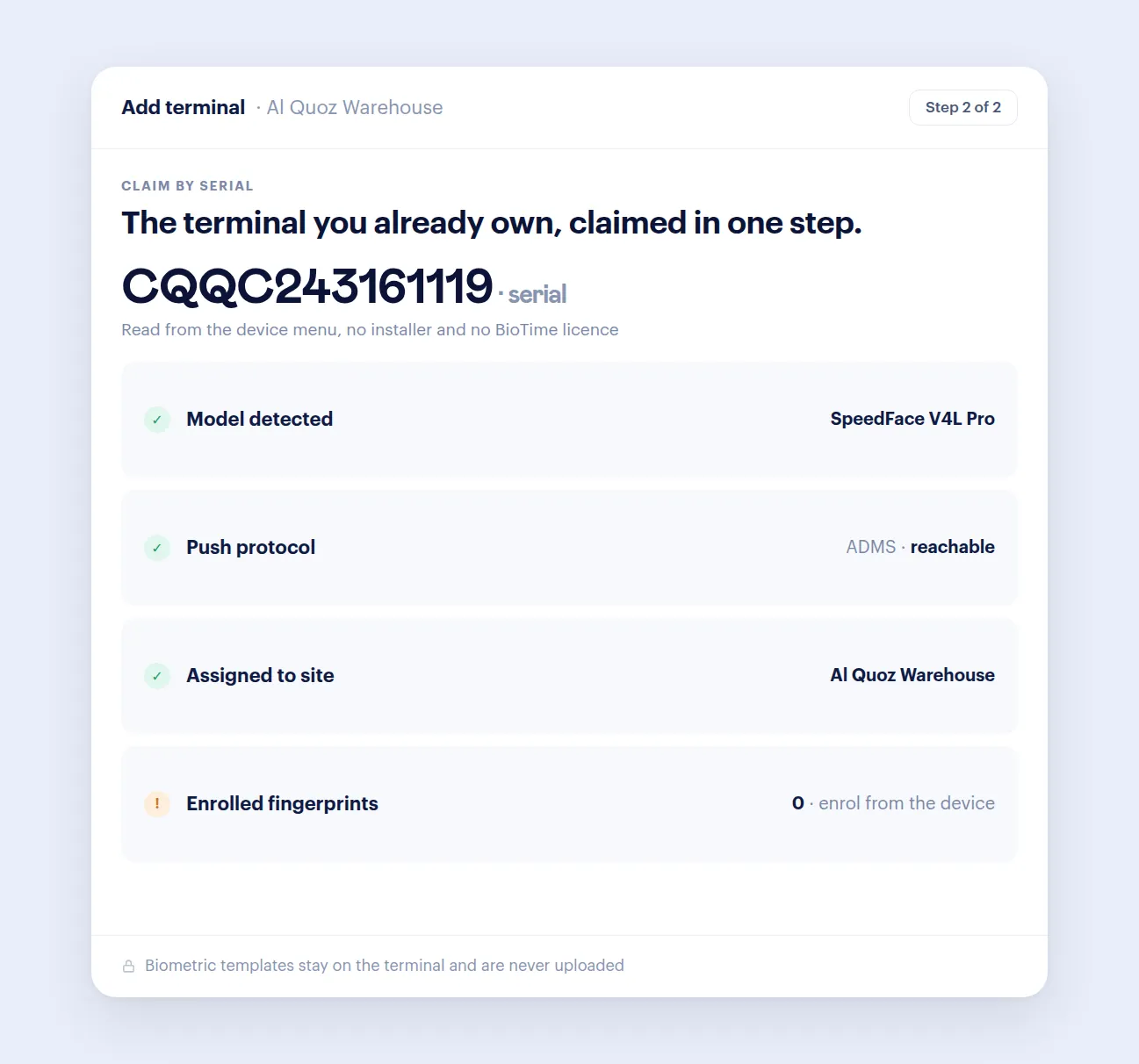
Connect by serial
Point the terminal at Wurxa and claim it by serial number. Works with SpeedFace V4L, V4L Pro, V5L, F18 and K40.
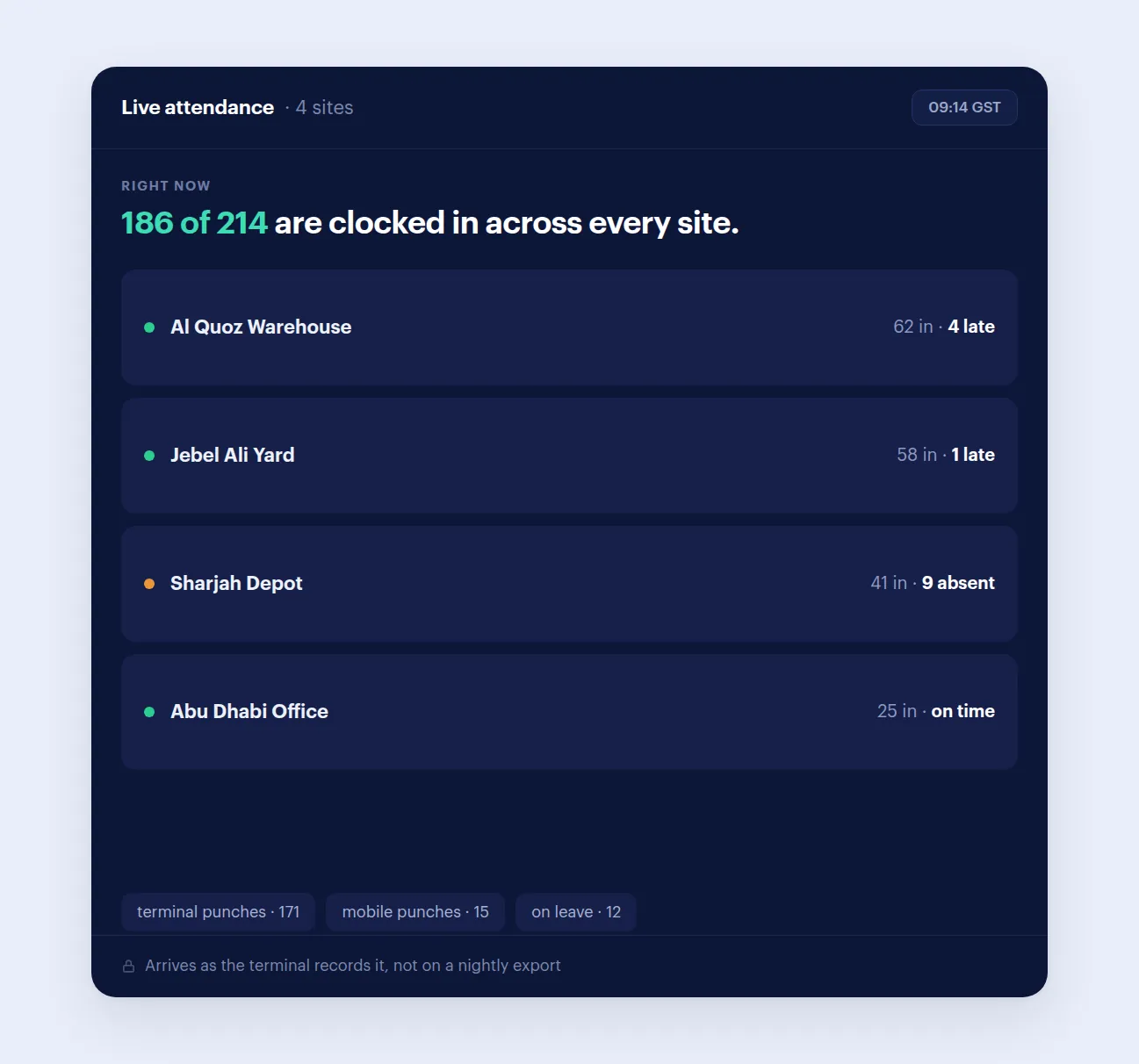
Live attendance
Present, late, absent and on-leave across every location, updating as terminals report.
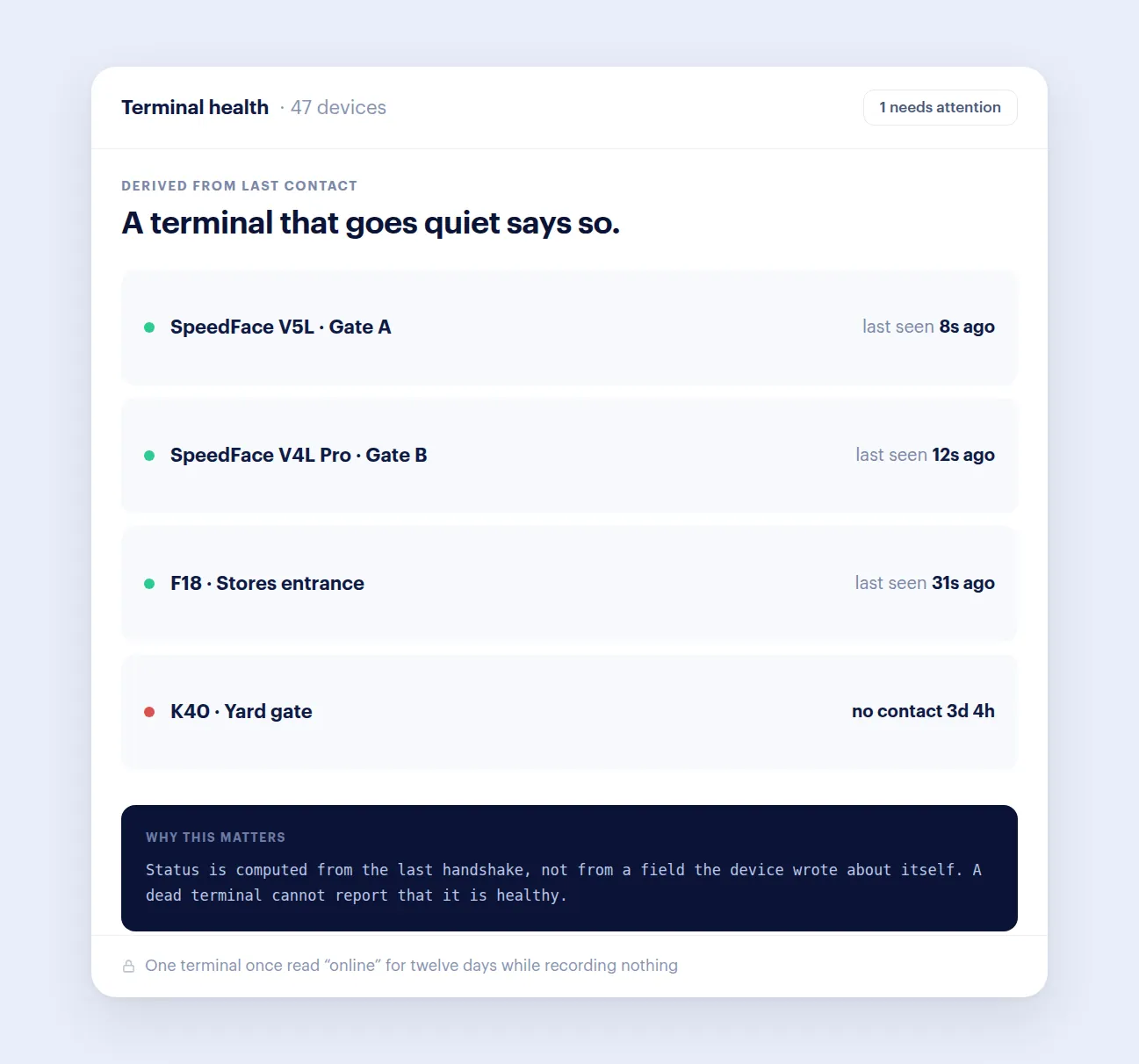
Terminal health
Device state is derived from the last time a terminal actually made contact, so one that stops sending shows as offline instead of reading healthy.
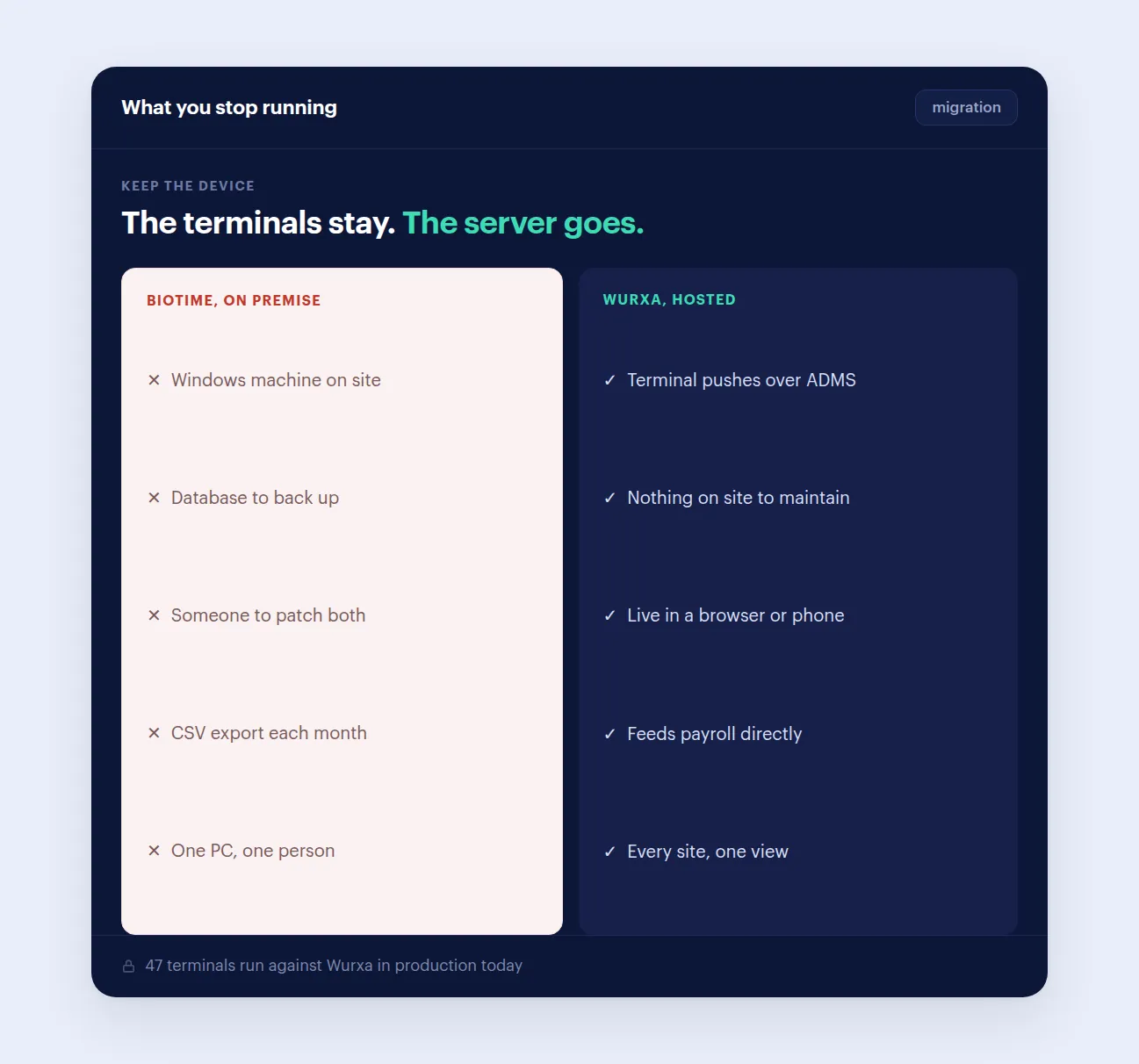
No server on site
No Windows machine or database to maintain on site. Wurxa is hosted and the terminal pushes straight to it.
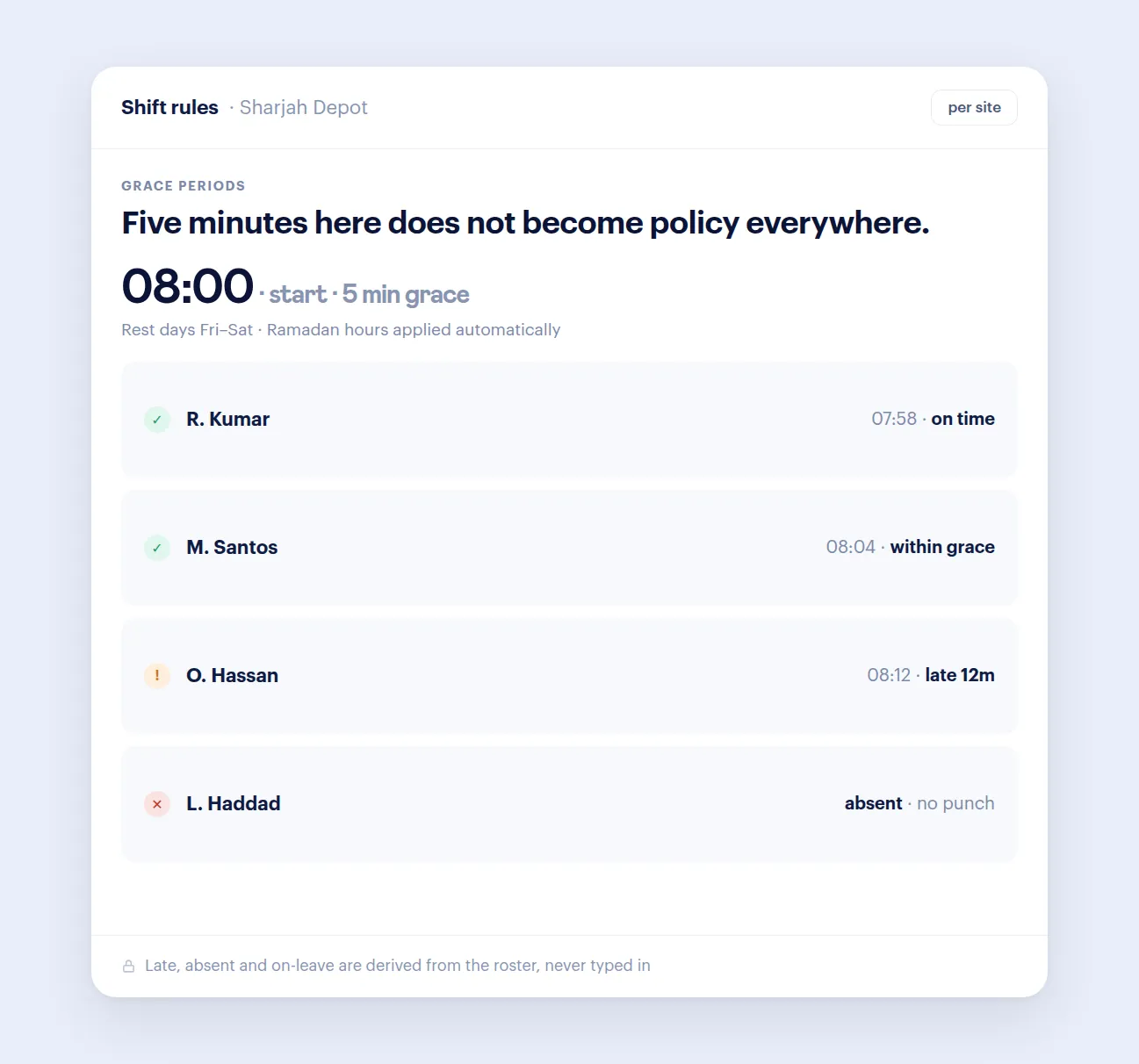
Rosters and grace periods
Schedules, grace periods, rest days and exception handling, configured per site rather than company-wide.
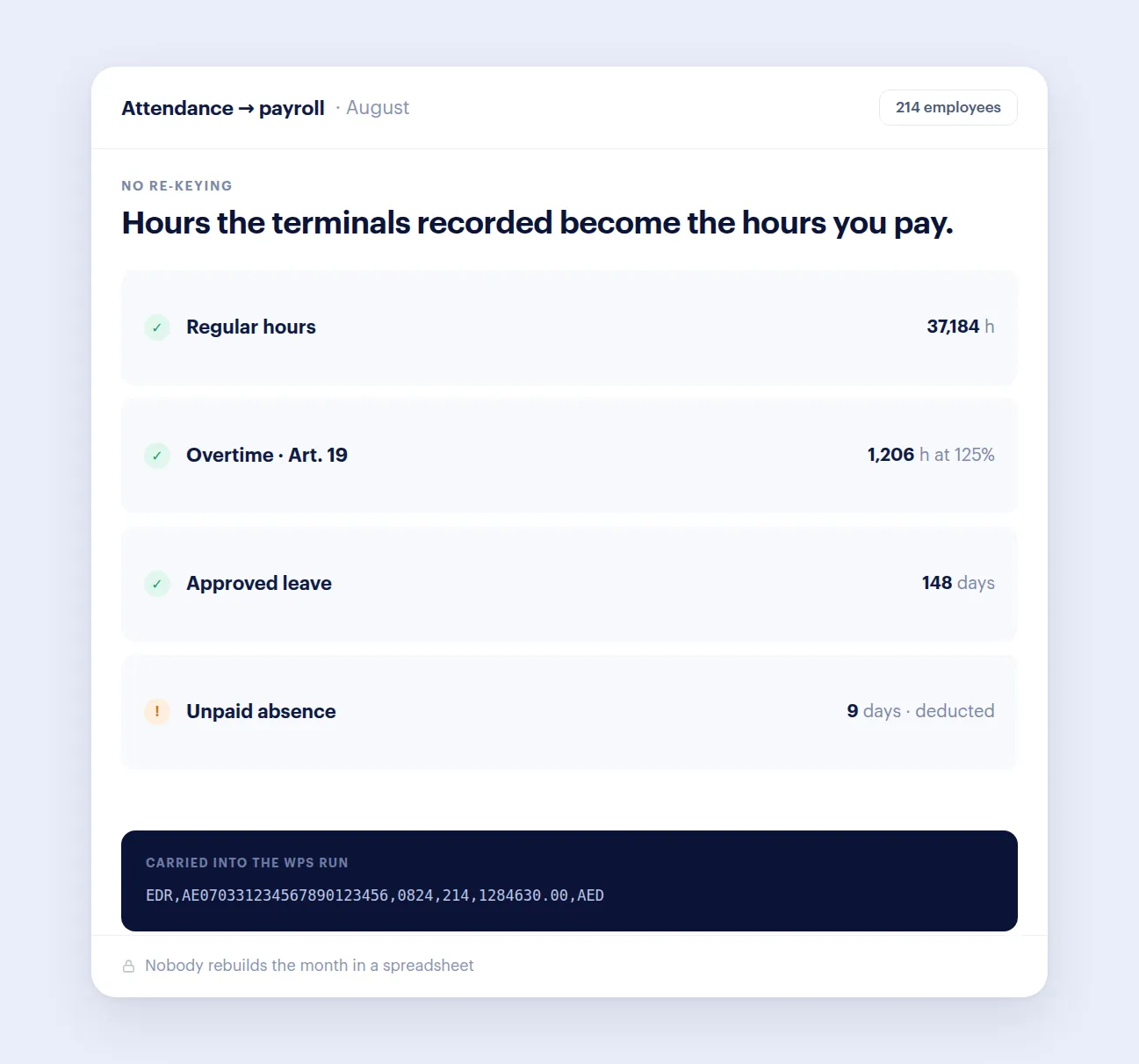
Attendance into WPS payroll
Approved attendance and absence flow into WPS payroll with a checked SIF file, so nobody rebuilds the month in a spreadsheet.
What Wurxa for ZKTeco changes for your team.
ZKTeco and Hikvision terminals are supported. Other brands are added only when they are production-ready, not when they are announced.
ZKTeco time attendance software, free for up to 5 employees
The Free plan is not a trial. One site and up to 5 employees stay free with no time limit and no credit card, and it includes the parts a small team needs every day.
When you grow past 5 people or add a second site, paid plans are a flat yearly price per tier, never per seat, from AED 1,188 a year + VAT for up to 30 employees. A 14-day trial with every feature comes first, so you can see the paid features before you pay for them.
ZKTeco attendance software for Mac: it works in any browser
Most ZKTeco attendance software is a Windows program that has to run on a PC in the office. Wurxa is not installed anywhere: the terminal sends punches over the internet to Wurxa, and you sign in from a browser.
That means the same live board on a MacBook, an iMac, a Windows laptop or a phone, at the office or away from it, with nothing to keep switched on and no software to update.
Export ZKTeco attendance to Excel
Open Reports, then the monthly report, pick the dates and narrow it by site or employee. Hours, lateness and overtime are worked out from the punches, and Export gives you an Excel (.xlsx) file or a PDF.
There is no step where someone pulls a file off the terminal first. Punches reach Wurxa as they are recorded, so the export is always up to the last punch.
ADMS setup on the K40, MB360, SpeedFace and uFace
Every model is set up the same way: find the serial at Menu > System Info > Device Info, start Add device in Wurxa, then fill in the cloud server (ADMS) screen on the terminal and test the connection. Only the menu path changes from model to model:
SpeedFace V5L: Menu > Comm > Cloud Server Settings (tap the screen icon in the top-right corner to open the menu). SpeedFace V4L and V4L Pro: Menu > Communication > Cloud Server. K40 and K40 Pro: Menu > Comm > Cloud Server Settings. F18: Menu > Comm. > Cloud Server Setting.
MB360, uFace and other ADMS-capable models: Wurxa has not confirmed these models yet. On firmware with ADMS push the screen sits under Comm, named Cloud Server Setting or ADMS, and the Add device flow's "Not sure which model" option lists the common paths. Send us the model and serial first and we will check before you change anything.
Whatever the model, Add device in Wurxa shows the exact settings to enter on that screen. Save, then click Start test in Wurxa. Most terminals check in within a minute or two.
Everything the punches feed: attendance software for UAE teams
Hikvision terminals at another site? Hikvision attendance software
Leave on the same record: leave management built on UAE labour law
Hours into salaries: WPS payroll software with SIF files
Check overtime by hand: free UAE overtime calculator
Moving from ZKTeco BioTime? Read the side-by-side Wurxa and BioTime comparison
Comparing cloud attendance options? M1 TimePilot and Wurxa, compared
ZKTeco attendance software: common questions
Is there free ZKTeco attendance software?
Yes. Wurxa is free for up to 5 employees on one site, for as long as you like, with no credit card. The Free plan includes live attendance from your ZKTeco terminals over ADMS push, punching from the phone app, leave, documents with expiry dates, and the employee app. It is hosted, so there is no PC or BioTime server to buy or run.
Does it work on a Mac?
Yes. Wurxa runs in any modern browser, so it works the same on a Mac, a Windows PC, a Chromebook or a phone. There is nothing to install: the terminal sends its punches over the internet and you sign in to read them.
Can I export ZKTeco attendance to Excel?
Yes. The monthly attendance report shows hours, lateness and overtime for each person, filtered by site or employee, and exports to Excel (.xlsx) or PDF. The punches are already in Wurxa, so there is no export from the terminal first.
Can I keep my existing ZKTeco terminals?
Yes. Wurxa talks to ZKTeco terminals over ADMS push, the protocol the devices already speak, so nothing needs replacing. Change the terminal's cloud server address to Wurxa, claim it by serial number, and punches start arriving.
Which ZKTeco models work with Wurxa?
Wurxa is confirmed on the SpeedFace V4L, SpeedFace V4L Pro, SpeedFace V5L, F18 and K40. Other ZKTeco terminals that support ADMS push should connect the same way. If you are unsure about a model, email us the model and serial and we will check before you change anything.
Do I need a server on site?
No. Wurxa is hosted. The terminal pushes punches over the internet straight to Wurxa, and everyone reads the same live data from a browser or the phone app. There is no database or Windows machine to install, back up or patch.
Do I have to export and import CSV files?
No. Punches arrive as the terminal records them, not on a schedule and not through a manual export. If a terminal loses its connection it holds its records and sends them when it is back, so a network drop delays data rather than losing it.
What happens to the fingerprints, faces and punches already on the terminal?
Enrolled fingerprints and faces stay on the terminal. Wurxa also keeps a copy, so a person enrolled once can be added to your other terminals; it is deleted with the employee. From Wurxa you can pull the terminal's user list and the punch history it still holds, so you do not start from an empty month, and enrol new staff on the terminal from Wurxa.
Can I manage terminals across several sites?
Yes. Each terminal belongs to a site, and one live board shows every site. Duty hours, grace periods and overtime rules can be set per site, and sites in different countries keep their own time zone.
How do I know a terminal has stopped reporting?
Device health comes from the last time a terminal actually contacted Wurxa, not from a status the terminal reported about itself. A terminal that quietly stops sending shows as offline instead of reading healthy while recording nothing.
Does it handle UAE overtime and WPS payroll?
Yes. Overtime is worked out from real punches at the UAE rates of 125% and 150%, and visa, Emirates ID and labour card expiry dates are tracked. The payroll add-on (AED 2,400 a year + VAT) produces WPS SIF files in your bank's format, with gratuity and end-of-service.
What does it cost?
Wurxa is free for up to 5 employees on one site, with no time limit. Paid plans are a flat yearly price per tier, never per seat, starting at AED 1,188 a year + VAT for up to 30 employees across all your sites. The terminals stay, so there is no hardware to buy.
See Wurxa for ZKTeco around your actual workflow.
14 days with every feature. No credit card required.